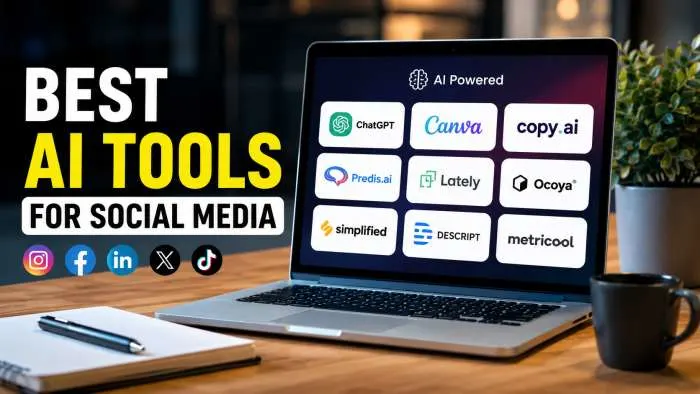
The best ai tools for social media do your writing, make your graphics, schedule your posts, and study your data. The right tool depends on your main platform. For most people, start with Canva Magic Studio for images and Buffer AI for scheduling. If you make videos, use CapCut for editing and Opus Clip to turn long videos into short ones. This guide will help you find the best ai tools for social media content creation for your needs.
Why Do You Need AI Tools for Social Media Today?
Social media moves fast. You need to post every day. You need good pictures and videos. You need to talk to your followers. That is a lot of work for one person.
The good news is that ai tools for social media can help you with all of these tasks. They can write posts for you. They can make pictures. They can even post for you while you sleep. Using these tools helps you save time and post better content.
Many businesses already use these tools. A 2026 survey found that 96% of social media professionals now use AI tools, and 72% use them every day . Another study shows 86.4% of all marketers use AI in their work . This shows that ai for social media management is now normal. If you are not using it, you are falling behind.
You may also read :- How to Increase Social Media Engagement: The Complete Guide
Best AI Tools for Social Media Posts and Content Creation

How Do AI Tools Help with Social Media Content?
The best ai tools for social media help you in five main ways. First, they write captions and post ideas for you. Second, they make images and graphics. Third, they edit videos fast. Fourth, they schedule your posts for the best times. Fifth, they study your data and tell you what is working.
The best AI tools for social media content creation can do all of these things. You don't need to be a tech expert to use them. Most tools are simple and easy to learn. They save you hours of work each week.
Canva Magic Studio for Social Media Graphics
Canva Magic Studio is the best place to start for most people . It is free and easy to use. Canva helps you make beautiful pictures for your posts. It has many templates for Instagram, Facebook, and other platforms.
The Magic Write tool helps you write captions. It gives you 25 free prompts each month . The Pro plan costs $15 a month and gives you all the tools. Canva is great because it combines design and writing in one place. This makes it one of the best ai tools for social media for beginners.
Hootsuite for Social Media Management
Hootsuite is a top choice for ai for social media management . It helps you schedule posts across many platforms. It also has AI features to help you write content. Hootsuite is best for teams that manage many accounts.
Hootsuite costs $99 per user each month. This is more expensive than some other tools. But it has many features for big teams. It has analytics, social listening, and approval workflows. This makes it a complete tool for ai for social media .
Buffer for Small Business Scheduling
Buffer is a cheaper choice for small teams. Its AI Assistant works right inside your post composer. It can adjust your tone and shorten or expand posts . Buffer offers a free plan that covers three channels.
Buffer is simpler than Hootsuite. It works great for freelancers and small business owners. It gives you the basics of ai for social media management without the high price.
SocialBee for Content Planning
SocialBee is another good tool for ai for social media. Its AI Copilot can generate your social media strategy. It creates a posting plan and ready-to-post content for you . This is perfect if you have trouble being consistent.
SocialBee helps you organize your content into categories. This ensures you post a good mix of content types. It is a strong choice for ai tools for social media posts because it plans everything for you.
Best AI Tools for Social Media by Platform
AI Tools for Instagram
If Instagram is your main platform, you need tools for images, captions, and hashtags . Canva Magic Studio is great for images. It has many Instagram templates.
Later AI is a good all-rounder for Instagram. It writes captions, suggests hashtags, and schedules your posts . It costs between $18.75 and $37.50 a month. Its free plan covers 30 posts per profile, which is enough to test it.
Flick is the best tool for hashtag research . It shows you how competitive each tag is. This helps you find tags that will get you seen. Flick costs between £14 and £68 per month. It is great when you want to grow your account.
Also read :- How to Grow on Instagram (Step-by-Step Blueprint for 2026)
AI Tools for YouTube
YouTube videos take a long time to edit. Descript makes it easier . It turns your video into text. You edit the text and it cuts the video for you. This is much faster than a normal video editor. It helps you remove "um" and "uh" in one click. Descript has a free plan and paid plans up to $50 a month.
TubeBuddy AI helps you grow your channel . It tests your titles and thumbnails. It helps you find the best keywords. This helps you get more views on your videos. TubeBuddy has a free plan and paid plans up to $23.19 a month.
VidIQ is another good tool for YouTube . It gives you daily AI idea suggestions. This helps you never run out of topics. It is great if you are still finding your niche. It has a free plan and paid plans up to $39 a month.
AI Agents for Social Media
Ai tools for social media are getting smarter. They are now becoming AI agents. An AI agent does not just write a post. It can publish the post, check how it did, and adjust its strategy . This is called agentic social media.
For example, an AI agent can draft a post, schedule it, read the comments, and write a report on its performance . This saves you a lot of time. Tools like Olly are AI agents that work in your browser. They can comment, write posts, and check viral scores for you . This is the future of ai for social media management. It handles the whole process from start to finish.
How to Choose the Best AI Tool for Social Media?
Choosing the right tool can be hard. Start by thinking about your main platform. Are you on Instagram, TikTok, or YouTube? Pick tools that work well on that platform. Then think about your budget. Many tools have free plans. Start with those. As you grow, you can upgrade to paid plans. Most small businesses start with Canva and Buffer . This covers images and scheduling.
Also, think about your team size. Are you working alone? Buffer or Canva are great for solo creators. Do you have a team? Hootsuite or Sprout Social are better for teams . Finally, think about what takes most of your time. Is it writing captions? Get a writing tool. Is it making images? Get a design tool. The right ai tools for social media should solve your biggest problem first.
Common Mistakes When Using AI for Social Media
Mistake 1: Posting Without Human Review
AI is smart, but it is not perfect. Always read what it writes before you post. Make sure it sounds like your brand. You should also check facts. AI can sometimes make up information .
Mistake 2: Ignoring Your Brand Voice
AI tools can sound generic. You need to train them on your brand voice. Tell the tool what your brand stands for. Give it examples of your best posts. This will make the content sound like you .
Mistake 3: Not Fact-Checking
Do not let AI post facts or prices without checking. AI can invent statistics. If you post wrong information, it hurts your trust . Always double-check important details.
Mistake 4: Missing the Human Touch
Instagram reported a 10 percentage point increase in original content in 2025 . The platform itself is telling us that human content wins. Use AI to save time, but add your own voice. Share your real experiences and stories.
Future of AI Tools for Social Media
AI is changing fast. We will see more AI agents that handle full workflows. They will not just write posts. They will plan strategies, create content, post, and analyze performance .
We will also see more tools that help with AI search visibility. This means tracking how your brand appears in AI answers, like ChatGPT . This will become more important as people use AI to search for information.
The goal is to use ai tools for social media to save time. This lets you focus on being creative and building real connections. The human touch will always matter.
Expert Opinion on AI Social Media Tools
According to marketing experts, you should start with free tools. "Use Canva Magic Studio and Buffer AI to start, then add a paid pick like Opus Clip or SocialBee when you outgrow the free ones" . This is the most practical advice for most people.
Another expert says, "The marketers getting the most out of AI aren't the ones using it for everything. They're the ones who know exactly where it fits" . Use AI for the repetitive tasks. Keep the creative and strategic work for yourself.
Conclusion
Ai tools for social media are here to help you. They save you time and help you post better content. Whether you need to write captions, make images, or schedule posts, there is a tool for you. The best tools for most people are Canva for images and Buffer for scheduling.
If you make videos, use CapCut and Opus Clip. As you grow, you can add more tools. Remember to always check AI content before you post. Keep your brand voice and add your own human touch. AI is a powerful helper, but you are still in charge.
Frequently Asked Questions
What are the best free AI tools for social media?
The best free tools are Canva Magic Studio for images, Buffer AI for scheduling (covers 3 channels), CapCut for video editing, and ChatGPT for writing captions . These give you a strong start without any cost.
Can AI write my social media posts for me?
Yes, tools like ChatGPT, Jasper, and Buffer AI can write social media posts for you . You give them a topic and they create a draft. You should always review and edit the post before publishing to keep your brand voice.
How do I choose the best AI tool for social media?
Think about your main platform (Instagram, TikTok, YouTube), your budget, and your team size . Also think about what takes most of your time. Choose a tool that solves your biggest problem first.
Are AI social media tools worth the money?
Yes, they save you hours of work each week. They help you post consistently and create better content. Many tools have free plans so you can test them first. The time you save is often worth the cost .
How do AI agents differ from regular AI tools for social media?
A regular AI tool writes a caption for you and stops. An AI agent can write the caption, schedule the post, read the comments, and check how it performed . It handles the whole workflow from start to finish.
Related Articles
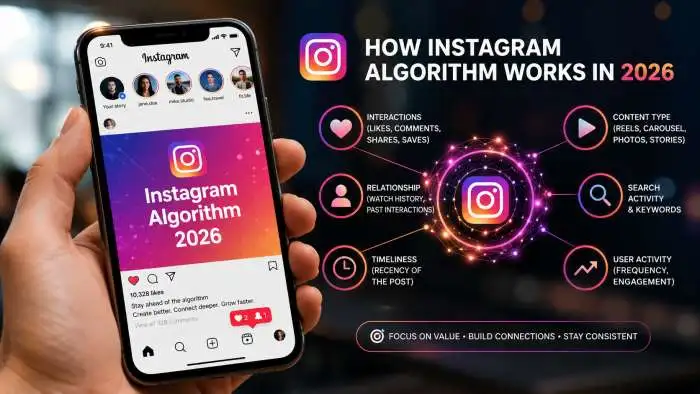
Instagram Algorithm Changes 2026: Why Your Reach Dropped (And How to Fix It)
The Instagram algorithm 2026 is no longer a single system but a group of AI ranking models that decide what content users see first across Feed, Reels, Stories, and Explore. In 2026, the system prioritizes private shares (sends), watch time, and likes per reach over total follower...
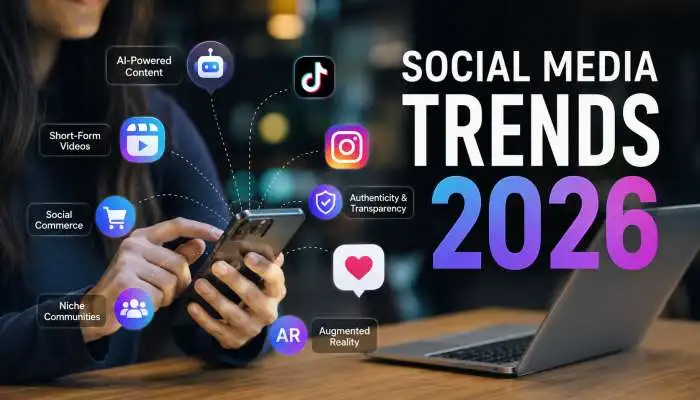
Social Media Trends 2026: Simple Ways to Grow Your Audience
Welcome to social media in 2026. It is a place that feels like many smaller worlds rather than one big, shared online space. The biggest change? People want to build tight communities, not just chase followers. They seek real connections and truthful content. Algorithms now reward...

Easy Organic Social Media Strategy: Grow Your Brand Without Ads
Honestly, organic social media is just about playing the long game. You aren't burning budget on ads here; you're just putting out good, free stuff that actually helps people so they stick around. Let's be real: the old playbook of chasing cheap likes is dead. Now...